Looking for the best YouTube downloader for Chrome in 2025? You’re not the only one. There are tons of options out there – but let’s be honest, a lot of them just don’t work the way they say they do.
We went through the mess so you don’t have to. This list includes only the extensions that actually deliver—clean, fast, and easy to use. Whether you want a full video or just the audio, these are the top picks for anyone searching for a reliable YouTube downloader extension.
What to Look For in a YouTube Downloader Extension
Before we dive into the list, here’s a quick checklist to help you spot a solid YouTube video downloader Chrome extension:
- Chrome compatibility
Some tools just aren’t built to work smoothly with Chrome. Make sure the extension is designed specifically for it, so you don’t run into errors or constant updates breaking the functionality. - No shady ads or popups
A good Chrome extension shouldn’t feel like a minefield. Avoid anything that bombards you with pop-ups or redirects – it’s not worth the risk to your device or data. - Supports MP4 and MP3
Whether you want the full video or just the audio, having both MP4 and MP3 options gives you more control. It’s one of the key things a reliable YouTube video downloader extension should offer. - Lightweight and safe to install
Extensions should be small, fast, and easy on your browser. If it slows things down or throws security warnings, it’s probably not worth it. - Legal and user-friendly
The best Chrome extensions keep things simple and stay on the safe side legally. Look for downloaders that support public content or personal use without trying to work around YouTube’s terms.
7 Best YouTube Downloader Extensions for Chrome
1. Tubly Downloader
If you’re looking for private and straightforward extension downloader, Tubly is built for that. It doesn’t track what you’re doing or throw ads in your face – it’s focused on safe, simple Youtube video downloading for your own videos or public content.
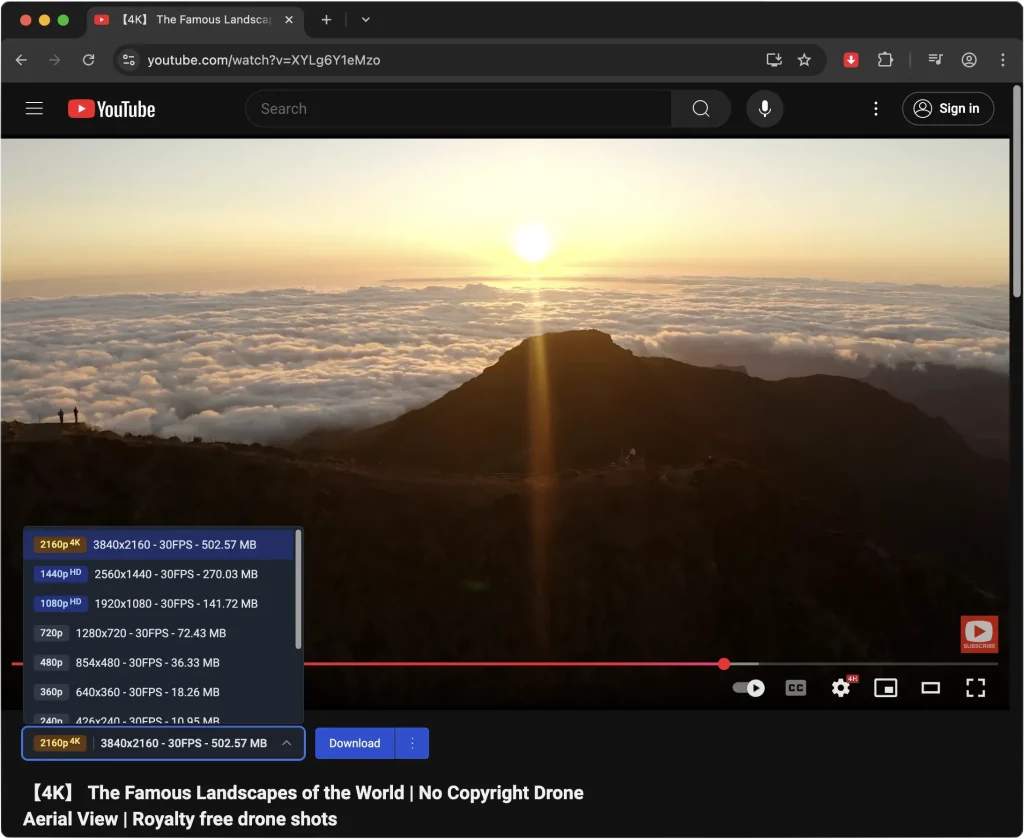
Extension features
- Clean interface with Youtube video, MP3 and Shorts download support
- No data tracking or ads
- Best for personal or public content
- Easy installation process
Pros & Cons
| Pros | Cons |
|---|---|
| Supports 4K/8K video downloads and YouTube Shorts | Full HD, 4K/8K, and MP3 downloads require a Pro subscription |
| Converts MP3 audio in 320 kbps | Manual installation required |
| No ads, popups, or trackers | Requires users to enable Developer Mode in Chrome for installation |
| Works on Chrome, Edge, Firefox, Opera, Brave, Vivaldi | Batch downloads or full playlists download are not included yet |
| Allows downloads of private and member-only content (with access) | |
| Offers lightweight installation and simple UI | |
| Free plan available |
Where to get it / how to install
You can install Tubly directly from our website. Setup is simple, and you’ll be up and running in just a few clicks.
Chrome compatibility
Yes – our extension is fully compatible with Chrome right out of the box. You don’t need to tweak any settings or install anything extra. Just add it to your browser and you’re ready to go.
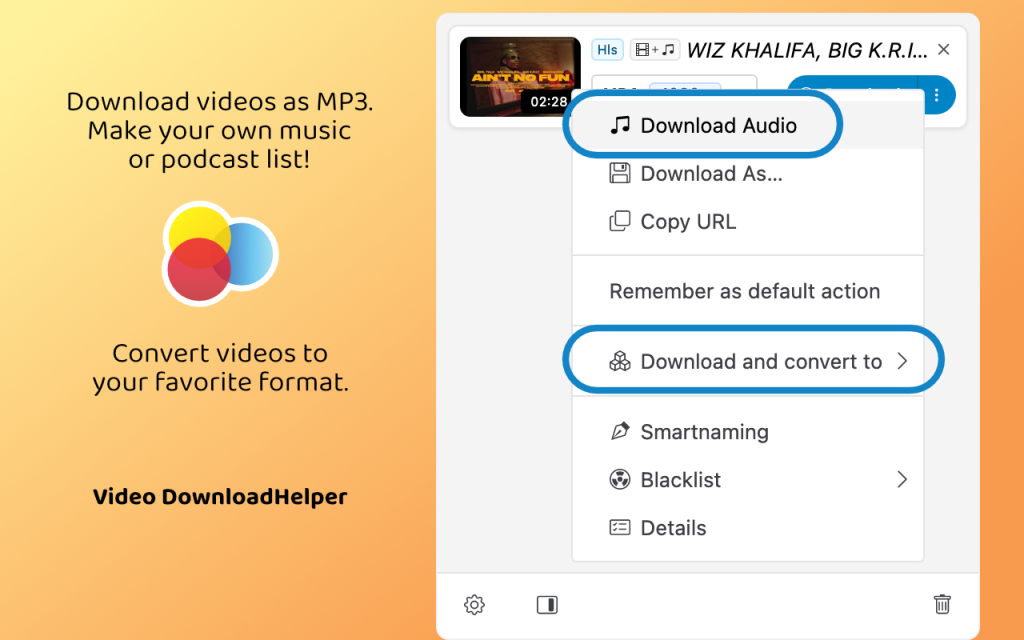
2. Video DownloadHelper
If you’ve been around the internet for a while, you’ve probably heard of Video DownloadHelper. It’s been a go-to extension for years, and the best part is – doesn’t just work with YouTube. You can use it across a bunch of different sites.
Extension features
- Supports MP4 and MP3 formats
- Allows batch downloads
- Works with many websites, but not Youtube anymore
Pros & Cons
| Pros | Cons |
|---|---|
| Supports over 1,000 websites, including live streams and HD downloads | Does not support YouTube downloads in Chrome, due to store restrictions |
| Offers conversion to formats like MP4, MKV, WebM, and MP3 audio extraction | Some video types (e.g. ADP) require a companion app and may add QR‑code watermarks without a license |
| Easy-to-use interface—intuitive menus, format/resolution selection, smart naming | Premium required for conversions and watermark removal (approx. €18.50/year) |
| Batch downloads supported—good for playlists or multiple videos | Downloads can be slow or freeze, especially on heavy or prolonged tasks |
| Lightweight resource usage with minimal tracking | Mixed reviews: some users report “unreliable,” “freezes,” and poor support |
Where to get it / how to install
You can grab it directly from the Chrome Web Store. Just a heads-up – it might ask you to install a small companion app to unlock all features.
Chrome compatibility
Yes – fully works with the latest Chrome versions, no extra setup needed. Just install and start downloading.
3. Addoncrop YouTube Video Downloader
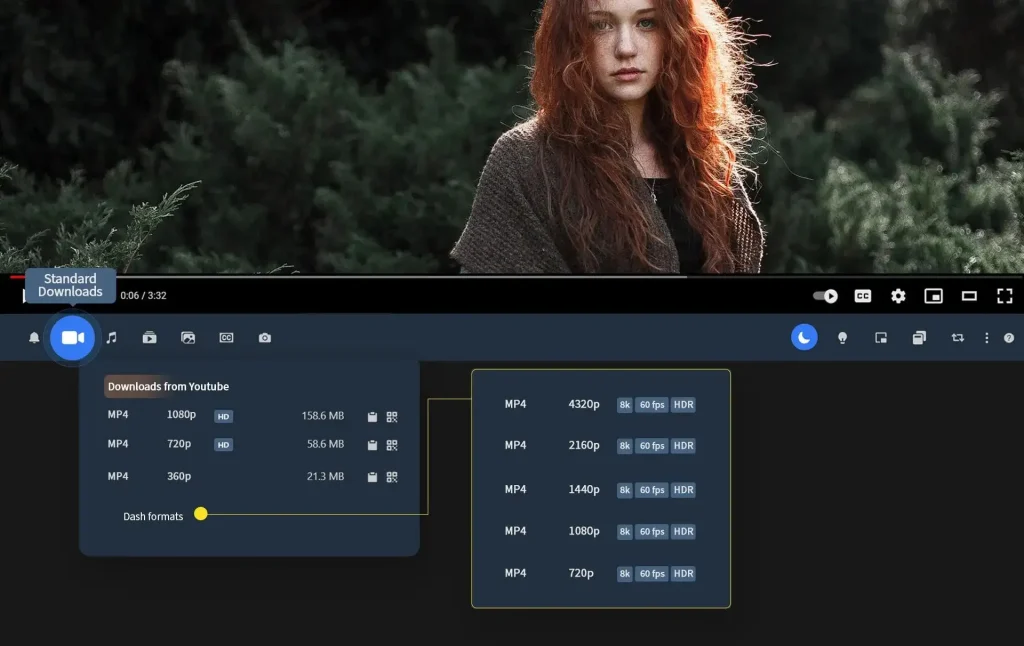
This downloader extension is a favorite because it blends right into YouTube – no clutter, just a clean download button where you need it. But keep in mind, you’ll need to go through a couple of extra setup steps to get it working.
Extension features
- Adds a download button directly below YouTube videos
- Offers format and quality selection
- No ads or popups
Pros & Cons
| Pros | Cons |
|---|---|
| Supports 4K downloads, plus a wide range of formats (MP4, WebM, AVI, FLV) and MP3 audio conversion | Requires manual installation via CRX emulator and sideloading—no Chrome Web Store listing |
| Offers advanced features: trim videos, download subtitles, screenshots, thumbnails, and loop mode | Users report video quality dropping to 360p (even when higher resolutions were previously working) |
| Cross-browser compatible (Chrome, Edge, Firefox, Opera, Brave, Vivaldi) | Some users find downloads unstable, with missing audio at higher resolutions |
| Includes extra YouTube enhancements: dark mode, cinema view, volume control via wheel | Extension occasionally breaks or requires reinstall/tricks (e.g. uninstalling “flixmate”) |
Where to get it / how to install
You’ll need to head over to Addoncrop’s official website to download their installer. It’s not a one-click Chrome Web Store install—there are a few extra steps involved, but they guide you through it, and it’s pretty straightforward if you follow the instructions.
Chrome compatibility
Partial – it doesn’t come through the Chrome Web Store, so you’ll need to use a workaround. It still works well with Chrome, but setup takes a bit more effort compared to standard extensions.
4. SnapInsta YouTube Downloader Extension
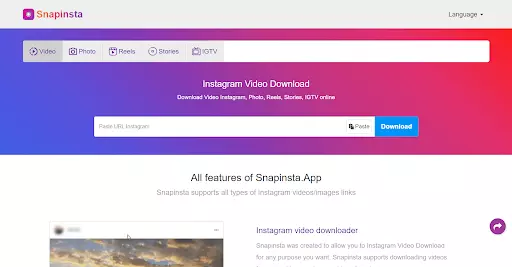
If you’re after speed and simplicity, SnapInsta might be a good fit. You don’t need to log in or mess with settings – just click, choose your format, and you’re done. It’s built to keep things quick and easy.
Extension features
- One-click video or audio downloads
- No login required
- Works well on Chrome and mobile
Pros & Cons
| Pros | Cons |
|---|---|
| Completely free to use—no subscriptions or hidden fees | Displays ads and pop-ups, which can interrupt the user experience |
| Supports downloading photos, videos and Reels | Public only—can’t access private content without additional steps |
| High-quality downloads up to 4K/1080p | Ads sometimes lead to shady redirect URLs—requires caution |
| No login required—anonymous, privacy-respecting workflow | Only works with stable internet connections; may malfunction on slow networks |
| Lacks advanced features like batch downloads, format conversion, or scheduling |
Where to get it / how to install
You can access it through SnapInsta’s helper site. It’s not in the official Chrome Web Store, so you’ll be using a browser bookmarklet or external link to trigger downloads.
Chrome compatibility
Yes – it works smoothly with the latest version of Chrome, but keep in mind it’s not installed through the Chrome Web Store. Instead, it runs through a helper tool or external link, which still gets the job done without much hassle.
5. ByClick Downloader Extension
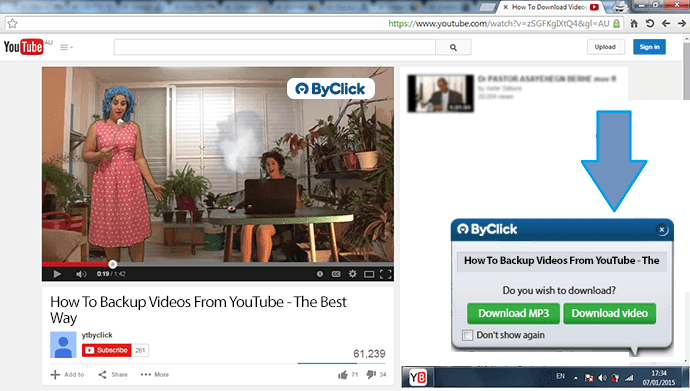
ByClick is a smart YouTube downloader extension that knows when you’re watching a video and automatically offers to download it. It’s great if you don’t want to copy-paste links or click around too much – it handles most of it for you.
Extension features
- Auto-detects YouTube videos
- Lets you pick format and resolution
- Works with playlists and full channels
Pros & Cons
| Pros | Cons |
|---|---|
| One-click video and audio downloads (MP4/MP3) | Free version is limited—shows ads and lacks HD, playlist, and batch features |
| Supports full playlist and channel downloads | Some users report software crashes and failed downloads |
| Works with 40+ sites (YouTube, Facebook, TikTok, etc.) | Requires desktop app—no native Chrome extension |
| Can download long videos and private content | High CPU/RAM usage during downloads for some users |
| Chrome-compatible via pop-up detection when watching a video | Mixed user reviews—some complain about license activation issues and poor support |
Where to get it / how to install
You’ll need to visit the ByClick Downloader website. It installs a lightweight desktop app that integrates with Chrome, so it’s not a standard browser extension, but it works seamlessly once installed.
Chrome compatibility
Yes – this extension works with Chrome by connecting through a lightweight desktop app. You won’t find it in the Chrome Web Store, but once you install the app, it integrates with your browser and runs without any issues. The setup is quick and doesn’t require much effort.
6. Y2Mate Extension (via helper site)
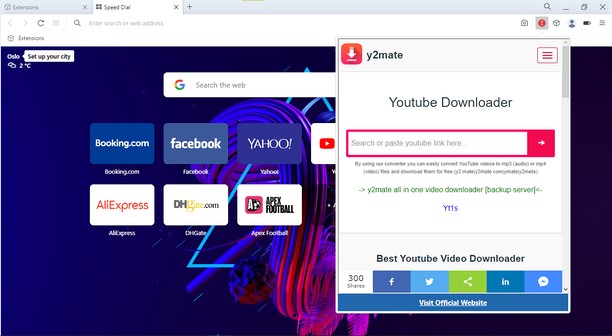
Y2Mate has been around for a while and is still a go-to for people who just want a quick MP3 or MP4 without installing anything bulky. It works through their site with a helper feature that makes extension downloads easier.
Extension features
- Fast conversion to MP3 and MP4
- Clean interface
- No account needed
Pros & Cons
| Pros | Cons |
|---|---|
| Completely free, no sign-up or subscription required | Packed with malicious ads, pop-ups, and redirects—major safety risks |
| Supports downloads from multiple platforms (YouTube, Facebook, Dailymotion, etc.) | May trigger drive-by downloads or PUPs, flagged as suspicious |
| Offers 1080p video and MP3/MP4 downloads via browser | Privacy concerns—might collect IP/data and send notifications |
| Simple, user-friendly interface—paste link and go | No metadata saved; long videos and subtitles often fail |
| Works across browsers and devices (Chrome, Firefox, Safari, mobile) | Lacks customer support and can be slow or unstable |
Where to get it / how to install
You don’t install this like a typical extension. Instead, visit Y2Mate’s site and follow their steps—usually involving a helper tool or bookmarklet that works within Chrome.
Chrome compatibility
Partial – it doesn’t install like a standard Chrome extension. Instead, it works through your browser using a helper tool or manual steps, often triggered from their website. It’s still functional for quick downloads, especially if you just need an MP3 or MP4 now and then, but it’s not a fully integrated Chrome experience.\
7. SaveFrom.net Helper
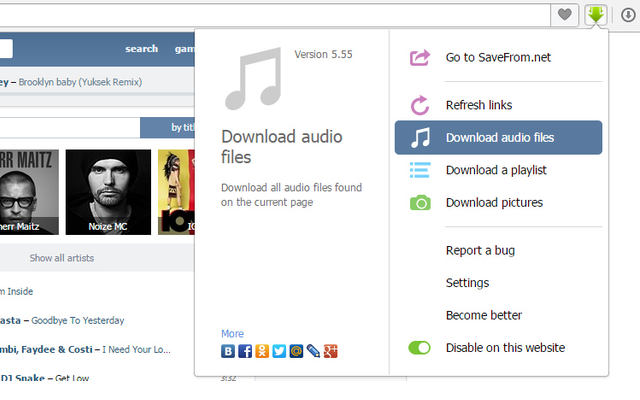
SaveFrom.net is a recognizable name among the best Youtube downloader extensions and still works for a lot of users. It places a simple “Download” button directly under the YouTube player and supports various formats, though setup can be a little manual.
Main features
- Adds a download button under YouTube videos
- Supports MP4 and WebM
- Lets you choose resolution
Pros & Cons
| Pros | Cons |
|---|---|
| Free to use, no sign-up or subscription needed | Heavy on ads, pop-ups, and redirects—must use ad-blockers and caution |
| Supports dozens of sites (YouTube, Facebook, TikTok, Instagram, Vimeo, etc.) | Risk of malware, drive-by downloads, or PUPs if clicking unsafe links |
| Supports multiple video formats (MP4, WebM, 3GP) and resolutions up to 4K | Doesn’t support playlist or channel downloads, only individual videos |
| Extension (“SaveFrom helper”) offers in‑page download buttons | Extension often flagged as adware/PUP, injects unwanted ads and trackers |
| Audio is often missing in HD downloads; long videos may fail | |
| Download failures are common; some users report errors or no output |
Where to get it / how to install
You’ll need to visit SaveFrom.net and follow their steps to install a helper script. It’s not in the Chrome Web Store, but the process is well-documented.
Chrome compatibility
Yes – the downloader extension works well with Chrome, but you’ll need to enable a helper script from SaveFrom.net to get it going. Once that’s in place, the extension integrates smoothly with YouTube and adds the download button right where you need it. It’s not a standard Chrome Web Store install, but compatibility is solid once set up.
Are YouTube Video Downloader Chrome Extension Legal?
Just a quick reminder – YouTube’s Terms of Service don’t allow downloading videos unless there’s a download button provided by the platform itself. That said, using a YouTube video downloader Chrome extension users trust can still be safe if you’re sticking to your own videos or ones that are clearly marked as Creative Commons. So, is YouTube downloader legal? It depends on how you use it. Personal, non-copyrighted content is usually fine- anything beyond that comes with more risk.
Read also: Is It Legal to Convert YouTube Videos to MP3?
Conclusion
We put this list together to help you explore your options and understand what each downloader extension brings to the table. Whether you’re after speed, simplicity, or specific features, now you’ve got a clearer picture of what works—and what’s worth skipping.